QuickBooks Desktop offers industry-specific versions for manufacturing, retail, contractors, non-profits, and professional services. These versions provide specialized tools & reports to help manage business needs more efficiently.

Take control of your finances with QuickBooks Desktop—the all-in-one accounting solution that simplifies tracking, budgeting, and reporting. Stay organized, save time, and make smarter financial decisions with ease.
QuickBooks Desktop is a powerful accounting solution designed for businesses that need reliable, offline access and advanced financial tools. It offers robust features like customizable reports, inventory tracking, job costing, and payroll management, making it ideal for small to mid-sized businesses. Unlike cloud-based platforms, QuickBooks Desktop allows you to work without an internet connection, ensuring your data stays secure and accessible. Its user-friendly interface simplifies complex tasks, and regular updates keep it running smoothly. With features like multi-user access and industry-specific versions, it adapts to your business needs. QuickBooks Desktop also provides stronger control over financial data and better performance for managing large files, making it the go-to choice for businesses that require detailed and accurate financial management.

QuickBooks Desktop is compatible with the following operating systems:
Windows 11 (64-bit), Windows 10 (64-bit, natively installed)
Windows Server 2022, 2019, and 2016
Not compatible with macOS (Mac users require QuickBooks Desktop for Mac or a Windows emulator)
Minimum: 2.4 GHz processor
Recommended: 3.0 GHz or higher for better performance
Minimum: 8 GB RAM
Recommended: 16 GB RAM for large company files or multi-user mode
Minimum: 2.5 GB free disk space (additional space required for company files and backups)
SSD recommended for improved performance
Minimum: 1280 x 1024 resolution
Recommended: 1920 x 1080 resolution for better visibility
High-speed internet connection required for software updates and cloud-based features.
Integrating QuickBooks Desktop with CRM tools like Salesforce, HubSpot, or Zoho helps manage customer data, track sales, and streamline payments.
QuickBooks Desktop can be integrated with popular payment processors like PayPal, Stripe, and Square to seamlessly import payment transactions.
Integrating QuickBooks Desktop with payroll solutions like ADP, Gusto, or Paychex ensures that payroll and financial data are consistently aligned.
Integrating QB Desktop with platforms like Shopify, WooCommerce, or Amazon simplifies inventory management, and order tracking.
QuickBooks Desktop uses advanced encryption technology to protect your financial data, ensuring that your sensitive information remains safe and secure.
Unlike cloud-based software, QuickBooks Desktop allows you to work without an internet connection. This ensures that you can access and update your accounting records anytime, anywhere.
QuickBooks Desktop automatically backs up your data regularly, ensuring that your financial information is always safe, even in the event of a system failure.
QuickBooks Desktop offers comprehensive support, including phone and chat support, community forums, and detailed help guides to assist you at every step of your journey.
QuickBooks Desktop provides all the essential features you need, including invoicing, payroll management, inventory tracking, and detailed financial reporting. With everything in one place, you’ll save time and reduce errors.
Designed for users with no accounting background, QuickBooks Desktop offers an intuitive, simple interface that makes managing your business finances straightforward. You’ll have access to all the data you need, with no steep learning curve.
QuickBooks Desktop offers secure data protection, giving you peace of mind knowing that your financial data is safe. It is a reliable solution trusted by millions of businesses for its performance and dependability.
QuickBooks Desktop allows you to create and customize reports that are specific to your business needs. Whether it’s profit and loss, balance sheets, or cash flow reports, you can quickly generate the reports that matter most.
QuickBooks Desktop offers industry-specific versions for manufacturing, retail, contractors, non-profits, and professional services. These versions provide specialized tools & reports to help manage business needs more efficiently.
Easily record and categorize expenses and income, helping you keep track of cash flow and business performance. QuickBooks makes it simple to stay organized and compliant with tax regulations.
Our dedicated support team is here to help with any questions or challenges you may have. Check out our comprehensive help guides, community forums, and online support to get the assistance you need.
Create professional invoices, track payments, and send reminders.
Automatically download and reconcile bank transactions to stay accurate.
Keep track of stock levels and manage inventory costs.
Process payroll and pay employees on time.
Track bills and manage accounts payable to ensure timely payments.
Organize your financial data to make tax season easier.
Basic functionality, business insights, and payroll. Starting at:
Robust functionality with tools for your industry. Starting at:
Maximum functionality and automation. Starting at:
QuickBooks Desktop offers multiple versions to fit the specific needs of your business:
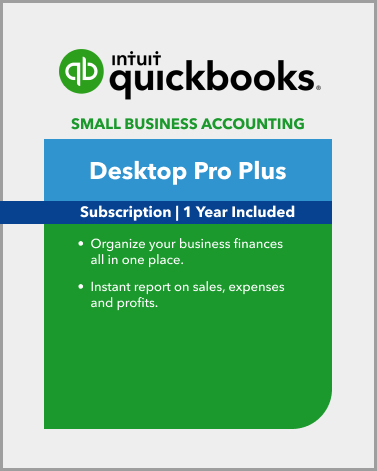
The essential version for small businesses.
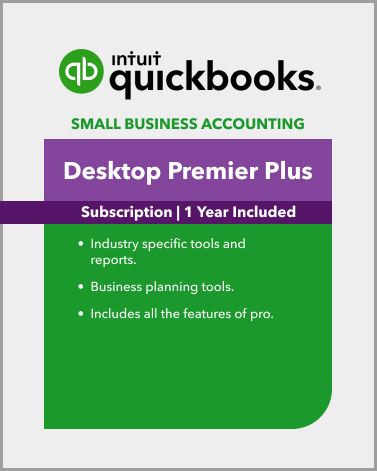
Advanced features for growing businesses.
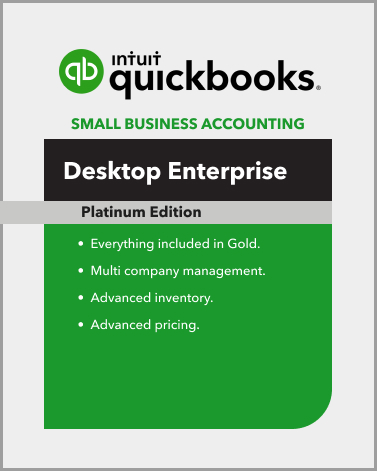
The ultimate solution for large businesses with complex needs.
Manage multiple clients and complex finances with ease.
Simplify business finances on your Mac
Easily handle payroll and taxes with QuickBooks
Have questions? Get in touch with our team, and we’ll help you find the best QuickBooks Desktop solution for your business.
Download QuickBooks Desktop today and simplify your accounting!
+1-877-423-9324
Ready to take control of your business finances? Download QuickBooks Desktop now and start enjoying a more organized, efficient, and accurate approach to accounting. Whether you’re looking to save time, reduce errors, or gain better insight into your financial situation, QuickBooks Desktop is the solution for you.