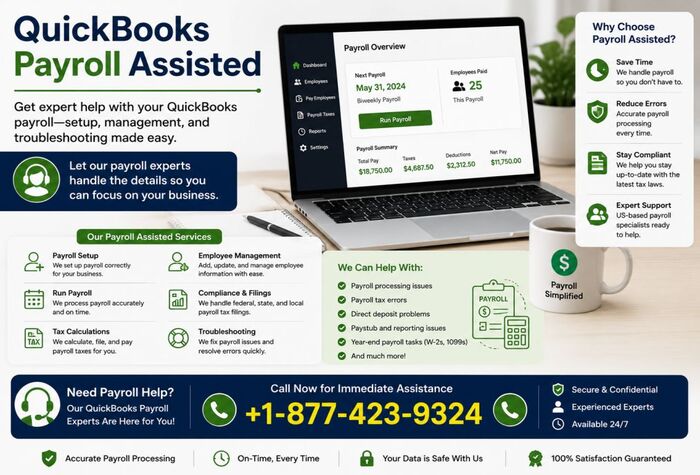
QuickBooks Payroll is an optional payroll service that helps businesses streamline employee payment and payroll-related responsibilities. It includes features such as direct deposit, automatic payroll calculations, tax management, paycheck creation, and payroll tax form preparation. Since Payroll is offered as a subscription service, the cost depends on the plan you choose. QuickBooks Assisted Payroll is one of the available options, designed for businesses that want extra payroll support. With this service, payroll taxes and required tax forms are handled on your behalf, while the guided setup process makes it easy to get started. You can also manage payroll for multiple employees with flexible pricing based on your payroll needs. In this guide, we’ll explore everything you need to know about QuickBooks Desktop Assisted Payroll, including its features, benefits, pricing considerations, and how it can simplify payroll management for your business.
Not sure whether QuickBooks Desktop Payroll Enhanced, QuickBooks Desktop Assisted Payroll, or QuickBooks Online Assisted Payroll is the right option for you? You’re not alone. In this complete guide, we’ll compare each service in detail, explain their features, pricing, and benefits, and help you choose the ideal payroll solution. Stay with us until the end to get the full picture.
What Is QuickBooks Payroll Assisted?
QuickBooks Assisted Payroll is a payroll subscription designed to simplify payroll processing and reduce the burden of tax compliance for businesses. With this service, payroll taxes and required tax forms are handled automatically, helping you stay compliant with federal and state regulations. It also includes an accuracy guarantee, giving business owners added confidence in their payroll operations. This allows you to spend less time worrying about payroll responsibilities and more time focusing on growing your business, managing your finances, and serving your customers.
How Does QuickBooks Assisted Payroll Work?
QuickBooks Assisted Payroll is designed to simplify payroll processing by combining easy-to-use payroll software with payroll tax assistance. Instead of spending hours calculating wages, tracking tax deadlines, and preparing payroll reports, you can complete payroll in just a few simple steps while keeping your records accurate and organized.
Step 1: Set Up Your Employees
The first step is to create employee profiles within QuickBooks. During the setup process, you’ll enter essential payroll information, including:
- Employee name and contact details
- Social Security Number (SSN)
- Tax withholding information
- Pay rate or salary
- Direct deposit details
- Benefits and deductions
Once this information is entered, QuickBooks stores everything securely, making future payroll runs faster and more efficient.
Step 2: Process Payroll
When it’s time to pay your employees, simply review each employee’s payroll information, such as:
- Regular work hours
- Overtime hours
- Bonuses and commissions
- Paid time off
- Additional deductions
QuickBooks then automatically calculates:
- Gross pay
- Federal and state tax withholdings
- Social Security and Medicare taxes
- Employee deductions
- Net pay
Before payroll is finalized, you’ll have the opportunity to review every detail and approve the payroll run.
Step 3: Pay Your Employees
After payroll is approved, employee payments are processed using the payment method you’ve selected.
Available payment options typically include:
- Direct Deposit
- Printed Paychecks
You’ll also have access to payroll records and payment history whenever you need them for accounting or reporting purposes.
Step 4: Payroll Tax Management
One of the biggest advantages of QuickBooks Assisted Payroll is its payroll tax support.
The system automatically calculates payroll taxes using the latest tax rates and prepares the necessary tax payments. This reduces the risk of manual calculation errors and helps businesses stay on top of payroll tax responsibilities throughout the year.
Step 5: Payroll Tax Forms and Compliance
Preparing payroll tax forms can be a complex and time-consuming task, especially for growing businesses.
QuickBooks Assisted Payroll helps simplify this process by assisting with payroll tax filings and maintaining organized payroll records. This makes it easier to stay compliant with payroll regulations and prepare for year-end reporting.
Step 6: Generate Detailed Payroll Reports
After each payroll run, QuickBooks provides a variety of reports that give you valuable insights into your payroll activity.
Common reports include:
- Payroll Summary Reports
- Employee Earnings Reports
- Payroll Liability Reports
- Payroll Tax Reports
- Deduction Summary Reports
- Payroll History Reports
These reports make it easier to monitor payroll expenses, reconcile accounts, prepare financial statements, and stay organized during audits or tax season.
By following these six simple steps, QuickBooks Assisted Payroll helps businesses streamline payroll processing, reduce administrative work, and maintain accurate payroll records—all while allowing business owners to spend more time focusing on growth rather than payroll management.
Key Features of QuickBooks Assisted Payroll
Managing payroll involves much more than paying employees—it also requires accurate tax calculations, timely filings, and compliance with changing regulations. QuickBooks Assisted Payroll simplifies these responsibilities by combining automation with expert payroll support. Below are some of the standout features that make it a preferred payroll solution for many businesses.
1. Automated Payroll Processing
QuickBooks Assisted Payroll automates many routine payroll tasks, helping businesses reduce manual effort and improve accuracy. It automatically calculates employee wages, payroll taxes, and deductions while supporting features like direct deposit and electronic tax form processing. Businesses can save valuable administrative time by streamlining their payroll workflow.
2. Expert U.S.-Based Setup Assistance
Getting started is easier with guidance from experienced U.S.-based payroll specialists. They can help configure payroll settings, import employee information, set up tax details, and ensure a smooth transition from your previous payroll system. Support is available through phone and chat during business hours, making onboarding simple and efficient.
3. Flexible User Permissions and Large Payroll Capacity
QuickBooks Assisted Payroll supports multiple user roles, allowing business owners, HR staff, accountants, and payroll administrators to access the system based on their responsibilities. It also enables businesses to process payroll for up to 250 employees in a single payroll run, making it suitable for growing organizations.
4. Automated Payroll Tax Management
One of the biggest advantages of QuickBooks Assisted Payroll is its ability to handle payroll tax responsibilities. The service calculates, files, and pays eligible federal and state payroll taxes automatically, helping businesses meet tax deadlines and reduce compliance risks. Eligible users may also receive protection against certain payroll tax penalties if an error is caused by the service.
5. Employee-Friendly Payroll Experience
QuickBooks Assisted Payroll helps improve employee satisfaction by offering convenient payroll features. Employees can receive their wages through direct deposit and access their payroll information quickly, ensuring timely payments and greater transparency throughout the payroll process.
6. Reduced Administrative Work with Ongoing Support
By automating payroll calculations, tax management, and payment processing, QuickBooks Assisted Payroll significantly reduces the amount of time spent on payroll administration. Businesses also have access to customer support whenever assistance is needed, helping resolve payroll-related questions and keep payroll operations running efficiently.
7. Convenient Payroll Benefits for Employees
In addition to accurate payroll processing, the platform offers features that make payday more convenient for employees. Direct deposit, easy access to payroll records, and reliable payment schedules help build employee confidence while minimizing payroll-related inquiries.
8. Built-In Time Tracking Integration
QuickBooks Assisted Payroll integrates seamlessly with QuickBooks Time, allowing businesses to track employee work hours with greater accuracy. Employees can clock in and out using a computer or mobile device, while managers can review and approve timesheets before payroll is processed. This integration reduces manual data entry, minimizes payroll errors, and ensures employees are paid accurately for the hours they have worked.
QuickBooks Desktop Payroll Enhanced vs QuickBooks Payroll Assisted
| Feature | QuickBooks Desktop Payroll Enhanced | QuickBooks Payroll Assisted |
Payroll Processing | Business manages payroll | Business processes payroll with additional payroll assistance |
| Payroll Tax Calculations | Automatic | Automatic |
Payroll Tax Filing | Mostly handled by business | Additional payroll tax assistance available |
| Direct Deposit | Available | Available |
| Payroll Reports | Yes | Yes |
| Compliance Assistance | Limited | Greater payroll support |
Many businesses compare QuickBooks Desktop Payroll Enhanced with QuickBooks Payroll Assisted before selecting the right payroll service.If your business prefers handling payroll independently while using payroll software, QuickBooks Desktop Enhanced Payroll may be sufficient.
However, companies wanting extra payroll assistance often prefer QuickBooks Desktop Assisted Payroll.
QuickBooks Desktop Assisted Payroll Fees: Breakdown
While your QuickBooks Desktop Payroll Assisted subscription covers a wide range of payroll services, certain requests and exceptional situations may result in additional charges. These fees generally apply when special services are requested, payroll is submitted late, or banking issues occur. Understanding these costs can help you avoid unexpected expenses and manage your payroll more effectively.
| Service | When It Applies | Fee |
| Late or Backdated Payroll | Payroll is submitted after the required processing deadline (less than two banking days before payday). | $100 |
| Payroll Non-Sufficient Funds (NSF) | Payroll-related debits are returned by your bank due to insufficient or unavailable funds. | $100 |
| Monthly Subscription NSF | Your monthly payroll subscription payment is declined because of insufficient funds. | $25 |
| Direct Deposit Reversal | Request to reverse payroll that was processed or sent in error. | $75 per payroll |
| Data File Recovery | Request to recreate or recover a payroll company data file. | $150 |
| Current-Year Tax Form Copies | Additional copies of payroll tax forms or returns for the current tax year. | $25 per form |
| Prior-Year Tax Form Copies | Copies of payroll tax forms for years before 2000. | $100 per year + $25 per form |
| Cancellation & Year-End Filing Service | Preparation of year-end payroll tax filings after canceling the payroll subscription. | $150 |
| Payroll Tax Amendments | Corrections to previously filed payroll tax returns. | Wage & Tax: $375 Employee Information: $250 |
| Legal Entity Changes | Updating your EIN, ownership structure, or business entity type. | Included – No Charge |
| Tax Notice Assistance | Help resolving payroll tax notices received from government agencies. | Included – No Charge |
| Payroll Corrections | Corrections to payroll setup or previously entered payroll information. | Included – No Charge |
Additional Information
- Late payroll processing may also result in government penalties, which are separate from the payroll service’s late processing fee.
- If payroll-related bank withdrawals are rejected because of insufficient funds, your financial institution may charge its own NSF or overdraft fees in addition to the payroll service fees.
- Shipping charges may apply if you request physical delivery of payroll-related documents.
- Pricing, features, and available services are subject to change over time, so it’s always a good idea to verify the latest details before requesting additional services.
Being aware of these potential fees allows businesses to plan ahead, avoid unnecessary costs, and ensure payroll is processed accurately and on time.
Why Choose QuickBooks Payroll Assisted?
Payroll management involves much more than paying employees on time. Businesses also need to calculate taxes accurately, stay compliant with payroll regulations, maintain detailed records, and minimize administrative work. QuickBooks Payroll Assisted is designed to simplify these responsibilities by combining payroll automation with professional payroll support.
Here are some of the key benefits businesses can expect:
Save Valuable Time
Processing payroll manually can consume several hours each pay period. From calculating wages and deductions to preparing tax forms and reviewing payroll reports, the workload quickly adds up.
With QuickBooks Payroll Assisted, many of these tasks are streamlined, allowing business owners to spend less time on payroll administration and more time growing their business, serving customers, and managing daily operations.
Improve Payroll Accuracy
Manual payroll processing increases the risk of costly errors. Even a small mistake in tax calculations or employee wages can lead to compliance issues and employee dissatisfaction.
QuickBooks Payroll Assisted helps improve accuracy by automating payroll calculations for:
- Employee wages
- Federal and state tax withholdings
- Overtime pay
- Payroll deductions
- Benefits and reimbursements
Accurate payroll processing reduces the need for corrections and helps ensure employees are paid correctly and on time.
Simplify Payroll Tax Responsibilities
Keeping up with changing tax regulations, filing deadlines, and payroll requirements can be challenging for any business.
QuickBooks Payroll Assisted simplifies payroll tax management by helping automate tax calculations and assisting with required payroll tax filings. This reduces administrative complexity and allows businesses to stay organized throughout the year.
Organized Payroll Records
Maintaining complete payroll records is essential for audits, tax preparation, and financial reporting.
With payroll information stored in one place, businesses can easily access:
- Employee payroll history
- Payroll reports
- Tax documents
- Payment records
- Payroll summaries
Centralized recordkeeping makes payroll management more efficient and helps support better financial decision-making.
Maintain Control While Receiving Expert Assistance
One of the biggest advantages of QuickBooks Payroll Assisted is that it offers the perfect balance between control and convenience.
Business owners remain involved in the payroll process while receiving additional assistance with payroll-related responsibilities. This allows organizations to monitor payroll activities, review reports, and maintain visibility into employee payments without handling every payroll task manually.
For growing businesses, this combination of automation, oversight, and payroll support creates a more efficient and reliable payroll management experience.
Read More: QuickBooks Multi User Mode Not Working
QuickBooks Assisted Payroll: Online vs. Desktop – Which One Is Right for Your Business?
Choosing between QuickBooks Online Assisted Payroll and QuickBooks Desktop Assisted Payroll depends on how you manage your accounting, payroll workflow, and day-to-day business operations. While both solutions are designed to simplify payroll processing, they cater to different business needs.
If your team prefers the flexibility of cloud-based software with anytime, anywhere access, QuickBooks Online Assisted Payroll may be the better fit. On the other hand, businesses that rely on locally installed accounting software and want complete control over their company files often choose QuickBooks Desktop Assisted Payroll.
The comparison below highlights the key differences to help you determine which payroll solution best matches your business requirements.
| Feature | QuickBooks Online Assisted Payroll | QuickBooks Desktop Assisted Payroll |
| Platform | Cloud-based | Desktop-based |
| Access | Access payroll securely from any location with an internet connection | Access payroll from the computer where QuickBooks Desktop is installed |
| Software Updates | Automatic updates managed online | Manual updates through QuickBooks Desktop |
| Data Storage | Secure cloud storage | Local company file storage |
| Accountant Collaboration | Easy online collaboration with accountants and bookkeepers | Collaboration typically requires sharing the company file |
| Mobility | Supports remote and mobile access | Primarily designed for office or local computer use |
| IT Maintenance | Minimal maintenance required | Requires local system maintenance and backups |
| Integration | Works with QuickBooks Online | Fully integrated with QuickBooks Desktop |
| Best For | Businesses with remote teams, multiple locations, or cloud-first operations | Businesses that prefer desktop accounting and local data management |
Which Payroll Solution Should You Choose?
Both payroll solutions offer reliable payroll processing and valuable payroll assistance, but the ideal choice depends on your business model.
- Choose QuickBooks Online Assisted Payroll if you want the flexibility of cloud access, automatic updates, and easy collaboration with your accountant.
- Choose QuickBooks Desktop Assisted Payroll if you already use QuickBooks Desktop and prefer storing your financial data locally while maintaining a familiar desktop workflow.
By evaluating your business size, work environment, and accounting preferences, you can confidently select the payroll solution that best supports your long-term business goals.
QuickBooks Enhanced Payroll vs. QuickBooks Assisted Payroll: Which One Should You Choose?
Both QuickBooks Enhanced Payroll and QuickBooks Payroll Assisted are powerful payroll solutions, but the right choice depends on how much responsibility you want to take on for payroll processing and tax compliance. Here’s a quick comparison to help you decide.
Choose QuickBooks Enhanced Payroll If You:
- Have experience managing payroll in-house.
- Want full control over payroll processing and tax filings.
- Prefer calculating and submitting payroll taxes yourself.
- Need detailed payroll reports and customization options.
- Have an in-house payroll or HR professional to manage payroll activities.
- Are comfortable staying up to date with payroll tax regulations and filing deadlines.
Choose QuickBooks Payroll Assisted If You:
- Want a more hands-off payroll experience.
- Prefer assistance with payroll tax filings and compliance.
- Have limited payroll knowledge or a small administrative team.
- Want to minimize the risk of payroll errors and missed deadlines.
- Would rather focus on running your business than managing payroll tasks.
- Need additional support when handling payroll throughout the year.
Which Payroll Service Is Right for Your Business?
If you value complete control and have the expertise to manage payroll internally, QuickBooks Enhanced Payroll can be a cost-effective solution. However, if you’re looking for greater convenience, reduced administrative effort, and additional payroll support, QuickBooks Payroll Assisted is often the better choice.
Before making your decision, consider your business size, payroll complexity, available resources, and long-term growth plans. Choosing the payroll solution that aligns with your needs can save time, improve accuracy, and make payroll management much more efficient.
Best Practices for Using QuickBooks Payroll Efficiently
Whether you’re using QuickBooks Payroll Assisted or QuickBooks Desktop Enhanced Payroll, following a few simple best practices can help you improve payroll accuracy, reduce errors, and save valuable time. Consistent payroll management not only keeps your business compliant but also ensures employees are paid correctly and on schedule.
Here are some practical tips to get the most out of your QuickBooks Payroll subscription:
- Keep employee records up to date by regularly reviewing personal details, tax information, and payment preferences.
- Review payroll data before processing each pay period to identify and correct any discrepancies.
- Install the latest QuickBooks and payroll updates to access new features, tax table updates, and security improvements.
- Verify payroll tax settings periodically to ensure tax calculations remain accurate and compliant.
- Reconcile payroll transactions with your accounting records on a monthly basis to maintain accurate financial reporting.
- Protect sensitive payroll information by limiting access and maintaining secure employee records.
- Create regular backups of your QuickBooks company file to safeguard important payroll and accounting data.
- Monitor payroll liabilities and tax obligations frequently to avoid missed deadlines or unexpected balances.
By incorporating these practices into your routine, you can streamline payroll processing, minimize compliance risks, and make your overall payroll management experience more efficient and reliable.
Read More: QuickBooks Subscription Has Lapsed
Common QuickBooks Payroll Issues and How to Resolve Them
Although QuickBooks Payroll Assisted is designed to simplify payroll management, businesses may occasionally run into payroll-related challenges. Fortunately, most of these issues can be resolved quickly by following the appropriate troubleshooting steps.
| Common Payroll Issue | Recommended Solution |
| Incorrect Employee Information | Double-check employee details, including tax withholding information, pay rates, and personal records before processing payroll. |
| Payroll Calculation Errors | Verify payroll settings, tax tables, deductions, and employee payroll preferences to ensure accurate calculations. |
| Missed Payroll Deadlines | Set payroll reminders and process payroll well before the scheduled payday to avoid delays and potential penalties. |
| Payroll Tax Filing Concerns | Carefully review payroll reports and tax forms before submission to ensure all information is complete and accurate. |
| Payroll Update Problems | Keep QuickBooks Desktop and your payroll subscription updated with the latest releases and tax table updates. |
| Direct Deposit Delays | Verify employees’ banking information and submit payroll within the recommended processing timeframe to ensure timely deposits. |
How to Avoid Payroll Problems
Most payroll issues can be prevented with regular maintenance and careful payroll management. Keeping employee records current, reviewing payroll reports before every payroll run, installing software updates promptly, and monitoring payroll tax obligations can significantly reduce errors and help your payroll process run smoothly throughout the year.
Why Businesses Prefer QuickBooks Payroll Assisted?
As payroll requirements become more complex, many businesses choose QuickBooks Payroll Assisted to simplify payroll management and reduce the time spent on administrative tasks. By combining automated payroll processing with professional payroll support, it helps businesses improve efficiency while maintaining accurate payroll records.
Here are some of the key reasons why QuickBooks Payroll Assisted continues to be a preferred payroll solution:
- Simplifies payroll processing with an easy-to-follow workflow.
- Automates payroll calculations to minimize manual errors.
- Generates detailed payroll reports for better financial tracking and recordkeeping.
- Seamlessly integrates with QuickBooks Desktop, eliminating duplicate data entry.
- Provides payroll tax support, helping businesses stay on top of payroll responsibilities.
- Offers flexible payroll features that can adapt to different business needs.
- Supports secure employee payments, including direct deposit options.
- Helps improve payroll compliance by streamlining tax-related processes.
- Saves valuable time through automation and reduced paperwork.
- Scales with your business, making it suitable for both small businesses and growing organizations.
Whether you’re managing payroll for a handful of employees or an expanding workforce, QuickBooks Payroll Assisted provides the tools and support needed to make payroll processing faster, more accurate, and easier to manage.
Conclusion
By now, you should have a solid understanding of QuickBooks Payroll Assisted, its core features, benefits, pricing considerations, and the additional service fees that may apply in certain situations. We’ve also explored the differences between QuickBooks Desktop Payroll Enhanced, QuickBooks Desktop Assisted Payroll, and QuickBooks Online Assisted Payroll to help you determine which payroll solution best aligns with your business needs. Whether you prefer managing payroll yourself or want added assistance with payroll tax responsibilities, choosing the right plan can improve efficiency and simplify payroll management. If you have additional questions or need personalized assistance, you can contact QuickBooks Payroll Support at 1-800-4INTUIT (+1-877-423-9324) for further guidance.
Frequently Asked Questions
QuickBooks Payroll Assisted is a payroll solution that helps businesses process employee payroll while providing additional assistance with payroll-related tasks and tax responsibilities.
Enhanced Payroll is designed for businesses that manage payroll internally, while Assisted Payroll provides additional payroll support and assistance with payroll tax responsibilities.
Availability depends on the QuickBooks Desktop edition and supported payroll subscriptions. Businesses should verify compatibility with their current version.
Pricing can vary based on employee count, payroll features, subscription type, and additional payroll services selected.
Yes. QuickBooks Enhanced Payroll for Accountants is specifically designed to help accounting professionals manage payroll for multiple clients efficiently.
Yes. Direct deposit is available, allowing employees to receive electronic payments instead of paper checks.
Yes. The online version is cloud-based, while the desktop version integrates directly with QuickBooks Desktop software installed on your computer.
Payroll reports should ideally be reviewed after every payroll run and reconciled monthly to ensure accuracy and compliance.
Yes. Many small businesses choose Enhanced Payroll because it offers payroll automation while allowing them to retain full control over payroll processing.
If you prefer managing payroll independently, Enhanced Payroll may be the better option. If you’d like additional payroll support and assistance with payroll-related responsibilities, Assisted Payroll is often the more suitable choice.